DEVELOPING COLOR


Beautiful color🔥


Cinematic color. In seconds.
Turn iPhone Apple Log footage into cinematic video in seconds.
Get 18 beautiful, ready-made color grades. Just choose a look and apply it. No advanced editing skills needed.
Couldn't load pickup availability
Works with iPhone 15–18 Pro / Pro Max · Apple Log & Apple Log 2
Yes, if you have an iPhone 15–18 Pro or Pro Max.
These LUTs are designed for footage recorded in Apple Log or Apple Log 2.
What is Apple Log?
It’s a video recording format that captures more detail and gives you greater flexibility when color grading. The footage looks flat until you apply a LUT.
Don’t have a Pro iPhone?
Standard iPhones and iPhone Duo don’t support Apple Log. Try our iPhone Cinematic LUTs instead.
Instant download · One-time purchase · No subscription
 18 cinematic looks
 Made for Apple Log & Apple Log 2
 Easy to use
 Installation guides included
Apple Log captures more flexibility for color grading, but straight out of camera it looks flat and washed out. That's normal. The color is waiting to be brought to life.
The Ypresets iPhone Apple Log LUT Pack gives you 18 ready-made cinematic looks that take your footage from flat Log to rich, polished color in seconds. Choose a look, apply the LUT and fine-tune it to your scene if needed.
Created from years of color grading travel, landscape and commercial footage, these LUTs are designed to make professional-looking iPhone video simpler, whether you're just getting started or already edit regularly.
18 cinematic .cube LUTs for Apple Log and Apple Log 2, with a range of looks to suit different scenes and styles:
From clean and subtle to bold and atmospheric, you can find a look that suits your footage and adjust the intensity or exposure in your editing app when needed.
Your files are available after checkout via email and your Ypresets account.
Compatible iPhone models: iPhone 15 Pro and Pro Max, iPhone 16 Pro and Pro Max, iPhone 17 Pro and Pro Max, and iPhone 18 Pro and Pro Max, when recording a supported Log format.
Note: These LUTs are designed for Apple Log footage, not standard iPhone video. If your clips already have the usual iPhone color, choose our iPhone Cinematic LUTs instead.
1. Shoot in Apple Log
Record Apple Log or Apple Log 2 on a compatible iPhone Pro. Flat footage is normal.
2. Mobile path: Blackmagic Cam
Import a LUT into Blackmagic Cam for a live preview while you shoot. Keep clean Log, or bake the look into the recording when you want a finished file.
3. Desktop path: color grade later
Apply the same .cube LUT in DaVinci Resolve, Final Cut Pro, Premiere Pro, CapCut desktop, or another compatible editor. Conversion is built in.
Shoot. Preview or bake in. Grade. See both paths.


iPhone Apple Log LUTs

18 looks
Tap a look to see the clip before the LUT.
From flat footage to cinematic color in seconds. Real iPhone clips, graded with a single Ypresets LUT. No additional editing.
Verified reviews
As a photo editor of over 10 years, video editing is completely new to me. I had no idea what to expect, but these LUTs work seamlessly with Apple Log footage and need very little tweaking. Absolutely love this pack, it covers every lighting situation imaginable.
Great product. Makes color grading a breeze. Glad I came across this product. Highly recommend for those new to color grading.
Super easy to use, and the results are amazing
How it works
Three simple steps, and two easy ways to apply the look.
Record Apple Log or Apple Log 2 footage on a compatible iPhone.
Choose your favorite LUT in your editing app, or apply it while recording in a supported camera app.
Get cinematic color without spending hours grading by hand.
Pick the way that suits you.
What's included
From clean and natural to bold and moody.
One pack works with both.
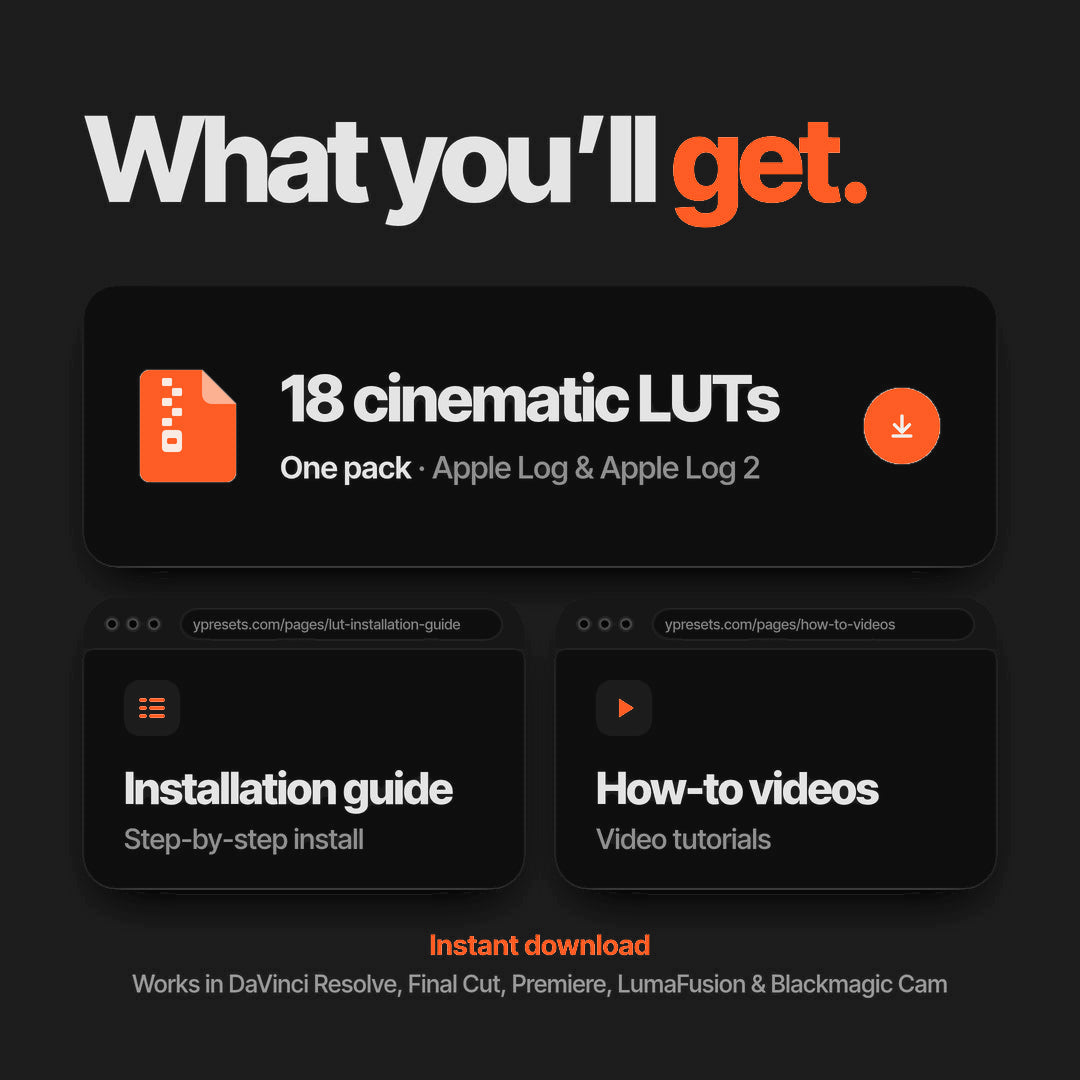
The standard LUT format, all in one zip.
Set up any app with the installation guide and how-to videos.
DaVinci Resolve, Final Cut Pro, Premiere Pro, LumaFusion, CapCut desktop and Blackmagic Cam.
Sent by email right after checkout and saved in your account.
Reviews
4.9/5
See how creators use Ypresets LUTs to bring Apple Log footage to life.
Overall rating: 4.9 / 5 from 148 reviews.
Beautiful color🔥

Incredible good LUTs 😍😍😍love all of them. For every scenery the perfect one!

I just tried it with a short film. Definitely love it to the moon and the back. I would rate it 10/10

Loved the LUTS! Worked perfectly for the mood of office.

Game changer 🫶🏻✨

The LUTs look amazing! ✨

Using these LUT’s I purchased for my iPhone, I was able to achieve such a professional look with the click of a button. It is so worth the price and would highly recommend.

Great LUT'S

I love it

It makes my iPhone 17 pro max a cinematic machine - just record and go!

This Luts really show what the Iphone is capable to do with the Blackmagic App. People just use the native app and wondering why its not like in the Advertising but it can be!

Although i don’t understand it all that well its super good!

It makes it so easy to make a shot look cinematic and professional. Must buy!!!

Love the presets! Additionally, these presets are designed in a way where if you tweak colors, intensity and all other changes, it will still have that specific look you desire!

Super easy to use, and the results are amazing

As a photo editor of over 10 years, video editing is completely new to me. I had no idea what to expect, but these LUTs work seamlessly with Apple Log footage and need very little tweaking. Absolutely love this pack, it covers every lighting situation imaginable.

I really like the Luts, they make editing so easy and straightforward...

I loved the look it gave to my videos

Great product. Makes color grading a breeze. Glad I came across this product. Highly recommend for those new to color grading.

Liking the color a lot, and it's easy to use!

These Log LUTs are amazing! I was in Italy and captured every moment using them. They helped me create a special atmosphere and show Italy in a whole new way.Thanks!

very nice ,look like cinema

Nice

Awesome luts! Work best on apple log. Shot the vid here with an iPhone 16 pro 4k, with the Lut #5 on Black magic app. These luts w/ black magic app have INSANELY increased the level of quality of content im making.

Amazing man !

The LUTs were very easy to use out of the box and look great as is (although I’m sure further tweaking could net even better results) Definitely excited to use these and play with them more going forward.

I am still a beginner so this LUTS are very helpfu.

I really love the set, however I noticed that there are only about 2 sets compatible with people’s skin tone that doesn't over exaggerate the way I and others look, either making us too pale, too blue, or simply too dark, I would hope to see more presets that puts people into perspective too.

bit mess about with these love them makes video pop jus need to learn to use properly great to use tho at a great price

Great gonna use them in costa rica!!

Most sets are really good but I wish the price was a tad little lower but otherwise worth it.

This real was created using LUTs from these guys! Love the colouring and quality so much! Highly recommend.

I like this , thank you

Good experience!

I love it

really easy to use!

2383 Print 01

Thanks, the pdf did worked thanks for reaching.

Una serie de luts espectaculares que funcionan perfectamente para la postproducción de tus videos

Pour ne pas s’embêter à faire de la colo c’est super propre directement !
Compatibility
Compatible with Apple Log and Apple Log 2 footage.
iPhone 15, 16, 17 and 18 Pro / Pro Max
Blackmagic Cam, DaVinci Resolve, Final Cut Pro, Premiere Pro, LumaFusion and CapCut desktop.
For standard iPhone video, choose our iPhone Cinematic LUTs instead.
More details
Apple Log LUTs for iPhone 15 Pro, 16 Pro, 17 Pro and 18 Pro. Ypresets iPhone Apple Log LUTs turn flat Apple Log and Apple Log 2 footage into clean, cinematic color in one click, with the Rec.709 conversion built in. The same LUTs work on both profiles, so there is no separate Apple Log 2 pack to buy.
Apple Log gives you incredible dynamic range, but the footage looks flat until it’s graded.
The iPhone Apple Log LUT Pack by Ypresets solves this instantly.
This pack gives you ready-made color grades that convert flat Apple Log and Apple Log 2 footage into clean, cinematic Rec.709 in seconds, without needing advanced color grading skills.
Built from years of color work across travel, landscape, automotive and commercial projects, these LUTs turn dull Log footage into rich, consistent, professional color with a single click.
Looking for Apple Log LUTs or Apple Log 2 LUTs for your iPhone? The same 18 iPhone log LUTs work on both profiles, one pack, no separate Apple Log 2 set, covering your flat footage from iPhone 15 Pro to iPhone 18 Pro Max.
Which pack do you need? If you shoot Apple Log or Apple Log 2 on an iPhone 15 Pro through 18 Pro Max, this is your pack. If your iPhone video looks contrasty and colorful (including iPhone Duo, which does not support Apple Log), get the iPhone Cinematic LUTs instead. Editing in DaVinci Resolve and want every Ypresets look in one plugin? See Ypresets Color Lab.
Shooting Apple Log 2 on an iPhone 17 Pro or 18 Pro? Read Apple Log vs Apple Log 2 to see how the looks compare, or our guide to the best Apple Log LUTs for iPhone.
New to LUTs? Start with the LUT installation guide and how-to videos.
Questions & answers
If your iPhone 17 Pro or 18 Pro records Apple Log 2, use the Ypresets iPhone Apple Log LUTs. The same LUTs are built to work on Apple Log and Apple Log 2, with the conversion included, so you apply one LUT straight to your clip and you are done.
Apple Log is a video recording profile that preserves flexibility for color grading. Footage recorded in Log looks flat and low-contrast before grading. These LUTs help turn that starting point into a cinematic finished look.
iPhone 15 Pro and Pro Max, 16 Pro and Pro Max, 17 Pro and Pro Max, and 18 Pro and Pro Max. Standard iPhone models and iPhone Duo do not support Apple Log, so use the iPhone Cinematic LUTs for their normal video.
You can use the .cube LUTs with compatible apps including DaVinci Resolve, Final Cut Pro, Adobe Premiere Pro, Blackmagic Cam and LumaFusion. CapCut desktop supports LUT imports; CapCut mobile does not offer the same .cube import workflow. Check your app version and settings before importing.
Yes. You don't need to build a grade from scratch. Follow the included guide, import a LUT and choose a look you like. You can still adjust exposure and color to fine-tune the result.
After checkout, you'll receive a download link by email, with access through your Ypresets account. The pack includes installation guidance to help you start using the LUTs in compatible apps.
Step by step for every app: LUT installation guide. Video walkthroughs: How to videos.
Yes. You pay once and the LUTs are yours to keep. There's no subscription.
No. iPhone Duo does not shoot Apple Log or Apple Log 2, so this pack will not work on Duo footage.
For Duo (and any normal Camera-app iPhone video), use iPhone Cinematic LUTs instead.
No. Every Ypresets LUT already includes the Rec.709 conversion, so apply it straight onto your Apple Log footage. Don't add a separate Apple Log to Rec.709 conversion first, or the image will look too contrasty and oversaturated. Then adjust intensity to taste.
Apple's free LUT only converts Log to normal contrast. It gives you one neutral look. This pack converts and grades in one click, with 18 looks for both Apple Log and Apple Log 2.
Don't stack them. Each Ypresets LUT already includes the conversion, so adding Apple's LUT first makes the image too contrasty.
Yes. The pack is designed for Apple Log and Apple Log 2 footage. Choose the correct recording profile on a supported iPhone and follow the included instructions for the best results.
No. These LUTs are created for flat Apple Log footage. If you shoot in the standard iPhone video mode, our iPhone Cinematic LUTs are the better choice.
No. Apple Log can also be recorded in HEVC using a compatible app and setup. The important thing is that your footage was actually recorded in Apple Log or Apple Log 2.
Yes, you can preview compatible LUTs in Blackmagic Cam. Depending on your chosen settings, you can monitor with a LUT and record Log for grading later, or use supported options to record with the look applied.
Yes. You can use the LUTs to create videos for personal, paid and client projects. Redistribution or resale of the LUT files themselves is not permitted under the product license.
4.9 from 148 reviews
Get all 18 looks, download them in seconds and give your next clip real color.
Instant download · One-time purchase · No subscription