Lightroom Presets
iPhone Everyday Lightroom Presets
Couldn't load pickup availability
For iPhone Photos
Mobile & Desktop
Instant Download
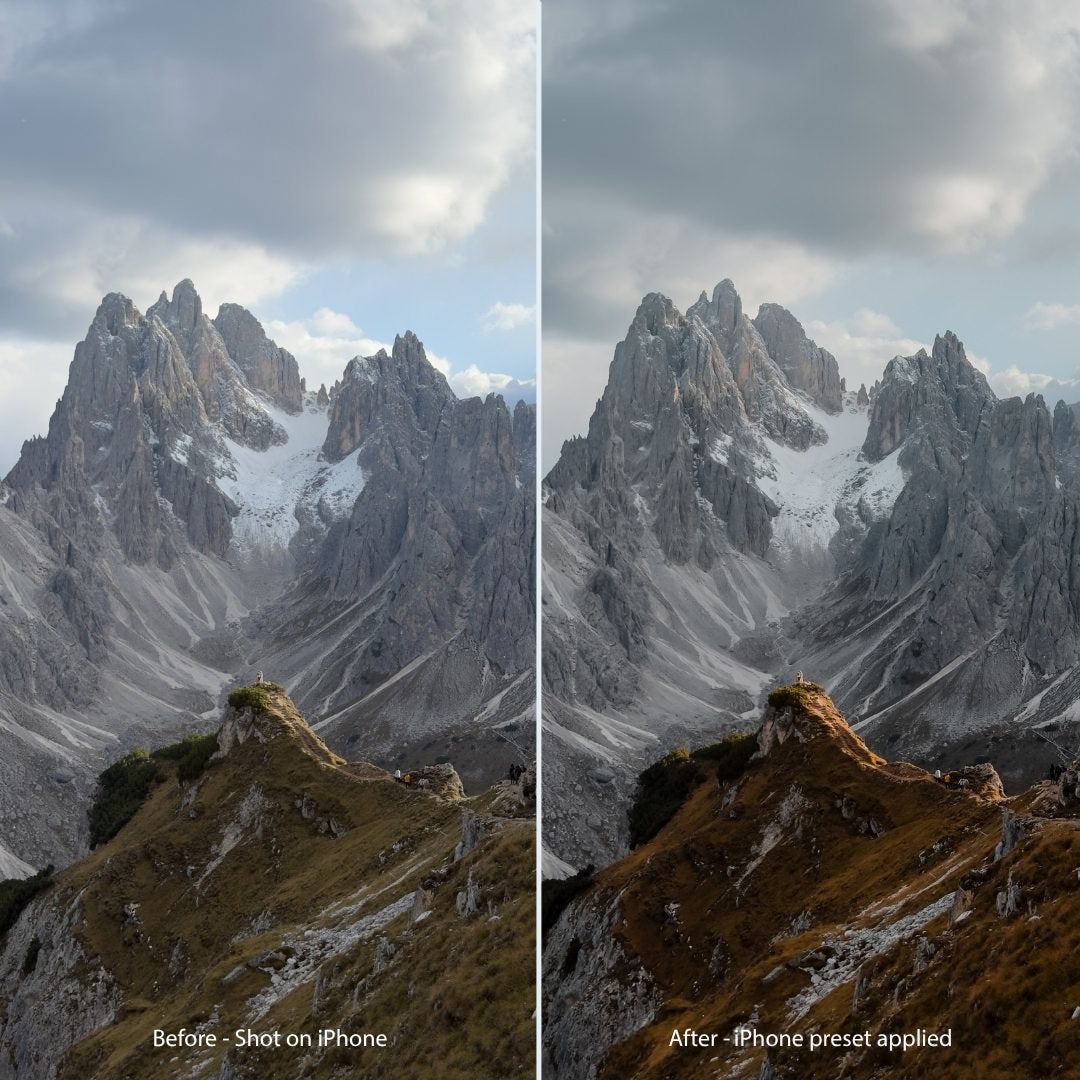
Ypresets iPhone Everyday Lightroom presets are tuned for everyday iPhone photos — people, travel moments, soft daylight, and the shots you take without thinking about it.
Use them in the free Lightroom Mobile app on your iPhone, or in Lightroom or Lightroom Classic on desktop. Instant digital download.
This Everyday pack is also included in the Master Collection if you want all four photo packs for any camera (especially RAW).

Questions & answers
About this pack
What's included?
Ypresets Lightroom presets for everyday iPhone photography, for Lightroom Mobile and for Lightroom or Lightroom Classic on desktop.
You also get a step-by-step install guide, instant download, and lifetime personal use.
Who is this pack for?
Buy this if most of what you edit is everyday iPhone photos and you want a subtle, natural Ypresets look without heavy filters.
Don't buy this alone if you mainly shoot with a mirrorless or DSLR and want travel, landscape, and street packs too — get the Master Collection instead (Everyday is included).
You do not need a Pro iPhone, a paid editing app, RAW files, or complicated camera settings. If you can apply a filter in Lightroom Mobile, you can use these presets.
Everyday pack or Master Collection?
Choose this Everyday pack if iPhone photos are most of what you edit and you want the iPhone-tuned looks on their own.
Choose the Master Collection if you also shoot with other cameras (especially RAW), or if you would buy two genre packs anyway. Master includes Everyday plus Travel, Landscape, and Urban.
Are these for photos or video?
Photos only. These are Lightroom presets for stills.
For iPhone video, match the color profile first: use Apple Log LUTs only for Apple Log / Apple Log 2 on iPhone 15 Pro–18 Pro (and Pro Max). Use iPhone Cinematic LUTs for standard non-Log iPhone video, including iPhone Duo. iPhone Duo doesn’t support Apple Log.
Do they only work on iPhone?
They are dialled in on everyday iPhone shots, so that is where they look most natural.
They still work on any photo you open in Lightroom — Android, other phones, and camera JPEGs or RAW — but you may nudge amount or exposure a little on non-iPhone files.
Where can I install this?
Install the mobile presets in the free Lightroom Mobile app on iPhone or Android.
Install the desktop .XMP presets in Lightroom or Lightroom Classic on Mac or Windows. A step-by-step guide is included with your download. Files arrive as an instant digital download after checkout, with a link in your email too.
The Master Collection
Why buy one pack when you can get them all?
All four Lightroom packs in one download, for mobile and desktop.
- Landscape & Nature
- $22
- Urban & Street
- $22
- Travel & Lifestyle
- $22
- iPhone EverydayThis pack
- $18
- Bought separately
$84- Master Collection
- $65 USD
You save $19 with the bundle.
Instant download from your order email and account.